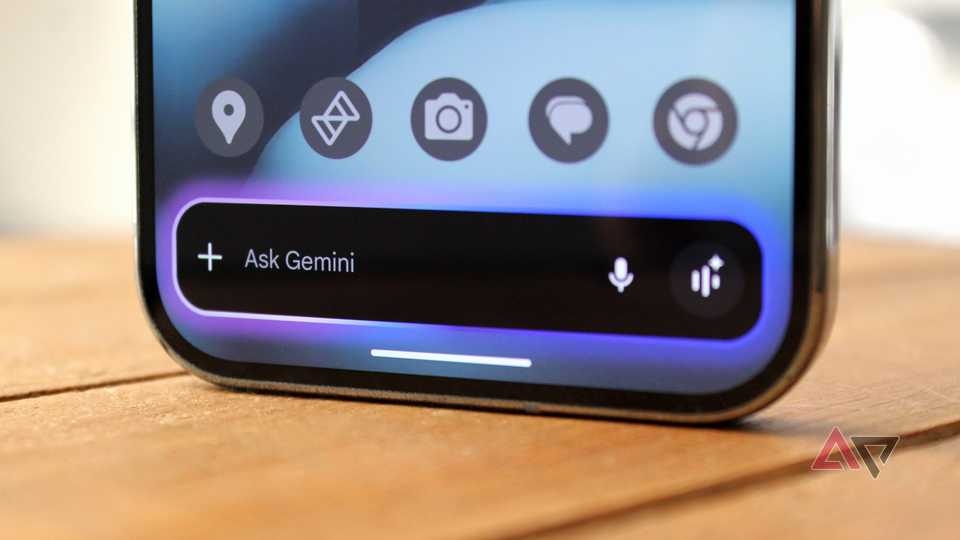
Google is rolling out a significant update to its Gemini AI assistant, transforming its intrusive full-screen overlay into a more discreet, floating interface, thereby resolving a key user frustration and significantly boosting multitasking on Android devices.
Introduction (The Lede)
Google is finally addressing one of the most significant pain points for users interacting with its Gemini AI assistant on Android: the disruptive full-screen overlay. Following observations by Android Police, a crucial update is underway that will pivot Gemini from a jarring, screen-dominating interface to a more subtle, floating element, paving the way for seamless multitasking and a much-improved user experience. This move signals Google's commitment to refining its AI integration and responding directly to user feedback.
The Core Details
The core of this anticipated change revolves around Gemini's UI paradigm. Previously, invoking Gemini would trigger a complete takeover of the screen, obscuring any underlying application and forcing users out of their current context. The update, as detailed in recent reports, is shifting this behavior towards a more intuitive, non-obtrusive model. Instead of a full-screen application, Gemini will manifest as a floating action button (FAB) or a bubble-like interface, reminiscent of chat heads or other overlay tools.
- Improved Interaction: Users will be able to summon Gemini without losing sight of the background app.
- Enhanced Multitasking: This allows for quicker queries and information gathering without breaking the workflow.
- Context Preservation: The ability to view the underlying content while using Gemini is a massive boost for productivity and continuity.
- Gradual Rollout: The change appears to be part of a server-side update or ongoing A/B testing, indicating a phased deployment to users.
Context & Market Position
The initial implementation of Gemini, which largely replaced the traditional Google Assistant gesture, was met with mixed reactions primarily due to its aggressive full-screen takeover. While powerful, its interface contradicted the fluid, multi-window nature of modern Android. This contrasted sharply with the more subtle pop-up found in the legacy Google Assistant, which generally appeared at the bottom of the screen, allowing continued interaction with the app above. In an increasingly competitive AI landscape, where rivals like Samsung are integrating AI directly into their OS with features like 'Circle to Search,' Google's initial approach felt somewhat regressive from a UX perspective. For an AI assistant designed to be a companion across tasks, seamless integration is paramount. This fix positions Gemini to better compete not just in raw AI capabilities, but also in the critical arena of user experience, aligning it more closely with the intuitive, in-context assistance users expect from a modern smartphone platform.
Why It Matters (The Analysis)
This fix is more than just a minor UI tweak; it's a fundamental improvement that significantly impacts user productivity and Google's standing in the mobile AI space. For consumers, it transforms Gemini from a disruptive tool into a genuinely helpful companion, allowing for instant queries or content analysis without the frustration of context switching. Imagine being able to ask Gemini about an email you're reading, or a product on a webpage, without having to leave that application – this update makes that seamless interaction a reality. For Google, it's about addressing a critical feedback point that hindered Gemini's adoption and positive perception. By making Gemini less intrusive, Google makes it more appealing and useful, potentially increasing engagement and solidifying its position as a leading AI provider. This move signals that Google is listening and committed to refining its AI offerings for real-world usability, which is vital for long-term user loyalty and competitive advantage.
What's Next
This UI refinement for Gemini is likely just one step in Google's broader strategy to integrate AI more deeply and seamlessly into the Android ecosystem. We can anticipate further enhancements to Gemini's context awareness and proactive assistance, taking full advantage of its less obtrusive interface. Future updates may focus on making Gemini even more personalized and predictive, leveraging the improved user experience to encourage deeper interaction. This current fix lays a crucial groundwork, demonstrating that Google is prioritizing user flow and practical application as much as raw AI power, which bodes well for the future evolution of AI on Android.