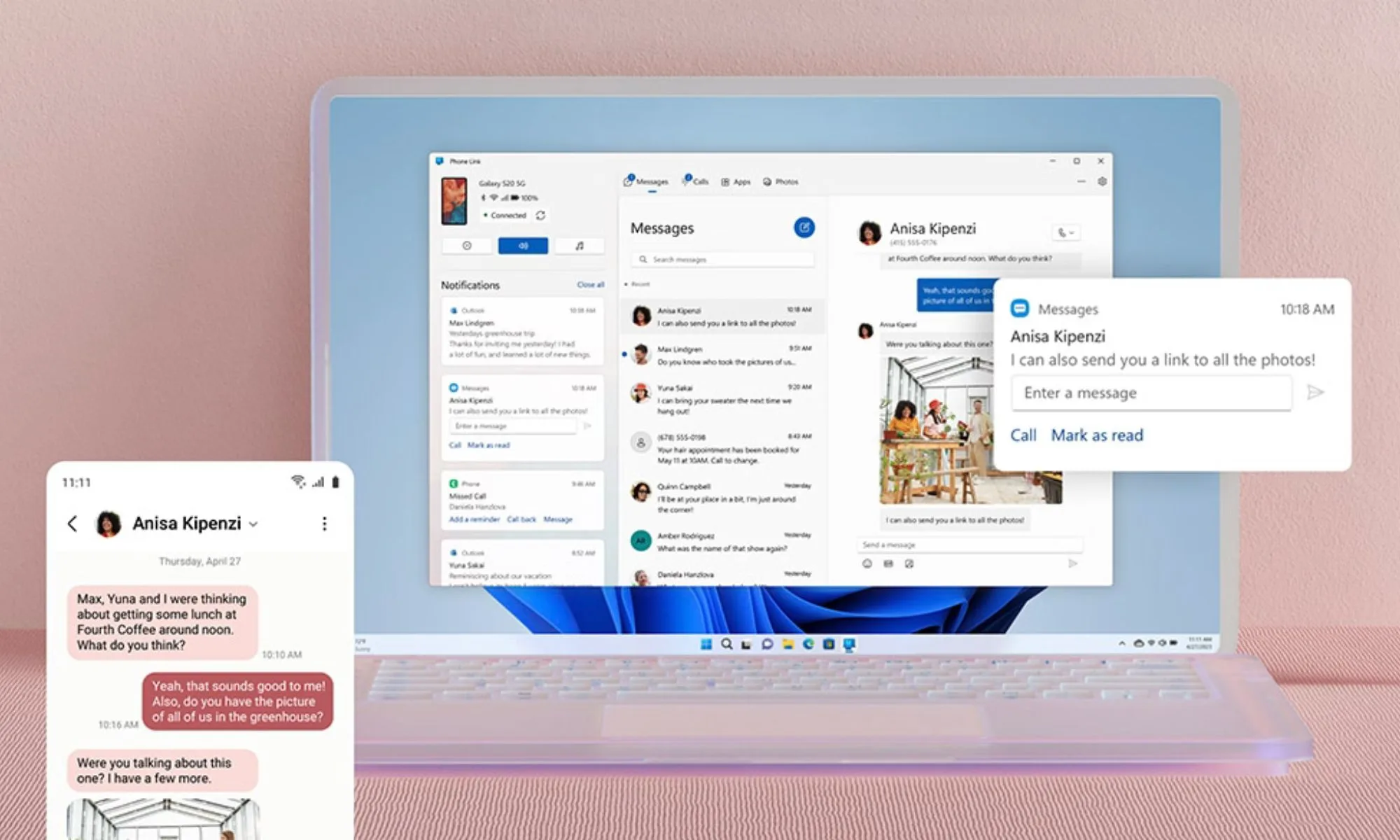
Microsoft has unveiled significant enhancements to its Phone Link app, allowing Android smartphones to serve as advanced remote controls for Windows 11 PCs, streamlining tasks like instant locking, file transfers, and shared clipboard access.
Introduction (The Lede)
Microsoft is significantly deepening the integration between Android smartphones and Windows 11 PCs, effectively transforming Android devices into powerful, multi-functional remote controls. This crucial update to the Phone Link app allows users to seamlessly manage their desktop experience directly from their handheld device, offering unprecedented convenience for locking PCs, transferring files, and sharing content across ecosystems. This move by Microsoft aims to bridge the gap between mobile and desktop computing, creating a more cohesive and productive digital environment for millions of users.
The Core Details
The latest enhancements to the Phone Link app, which pairs with the "Link to Windows" app on Android devices, introduce several highly anticipated features designed to streamline workflow and enhance cross-device interaction:
- Instant PC Lock: Users can now lock their Windows 11 PC directly from their Android smartphone with a single tap, adding a layer of security and convenience.
- Seamless File Transfers: A major productivity booster, the update enables drag-and-drop functionality for transferring files between the Android phone and the Windows PC effortlessly. This eliminates the need for cloud services or email for simple file sharing.
- Shared Clipboard: Copying text or images on one device and pasting them on the other is now a standard feature, making it incredibly easy to move information between your phone and computer.
- Enhanced Screen Mirroring: While screen mirroring existed, it's now a more central and integrated part of the remote control experience, allowing full interaction with the phone's interface on the PC for apps and content.
These additions build upon existing Phone Link capabilities like accessing recent photos, managing notifications, and making calls directly from the PC, creating a truly robust cross-device toolkit.
Context & Market Position
Microsoft's commitment to enhancing the Phone Link experience is a strategic play in the competitive tech landscape. For years, Apple has set the gold standard with its Continuity features, offering seamless handoff, universal clipboard, and AirDrop between iPhones, iPads, and Macs. Microsoft's efforts with Phone Link are a direct response, aiming to replicate and even surpass this level of integration for the Android-Windows ecosystem. This is particularly significant given Microsoft's past struggles in the mobile hardware market.
By investing heavily in software bridges, Microsoft is acknowledging the reality that most Windows users carry an Android device. These new features effectively remove friction points that previously necessitated third-party apps for file transfers (e.g., Pushbullet, cloud services) or remote PC control. It makes Windows 11 a more attractive platform for Android users who crave a unified digital experience without being locked into a single brand's hardware ecosystem. This move strengthens Windows' position as a central hub for productivity, regardless of the mobile device choice, emphasizing open interoperability over walled gardens.
Why It Matters (The Analysis)
This update is a game-changer for productivity and user convenience. For consumers, it means less time switching between devices and fewer interruptions to their workflow. The ability to instantly lock a PC from your phone is a small but impactful security and convenience feature, while shared clipboards and drag-and-drop file transfers fundamentally alter how users interact with their content across platforms. It transforms the Android phone from a mere companion device into a direct, powerful extension of the PC, significantly reducing digital friction and enhancing overall user experience.
“Our goal is to create a truly seamless and fluid experience for our users, bridging the gap between their mobile and desktop worlds with intelligent and intuitive connections.”
— A Microsoft Spokesperson
For the industry, this move solidifies Microsoft's strategy of becoming an indispensable ecosystem player, even without its own dominant mobile OS. It makes Windows 11 a more compelling choice for the vast majority of smartphone users who opt for Android. By offering these premium-feeling features for free and built-in, Microsoft potentially disintermediates third-party utility apps, further embedding its services into daily routines. This fosters stronger user loyalty and engagement within the Microsoft ecosystem, proving that robust interoperability can be a powerful differentiator in a competitive market.
What's Next
Looking ahead, we can expect Microsoft to continue refining and expanding the Phone Link's capabilities. Future updates might include deeper integration with Microsoft Copilot, more advanced cross-device application handoffs, or even direct control over specific Windows apps from the phone. The trajectory is clear: Microsoft aims to make the Android-Windows connection as seamless and intuitive as possible, driven by user feedback and the ever-evolving demands for multi-device productivity in a connected world. Expect Phone Link to become an even more central part of the Windows 11 experience.